
“Pick up the blue notebook” is already a perfectly good thought. Saving it should not require choosing a workspace, designing a database and deciding which productivity system you belong to.
That is the small problem behind AiMemo, a tool I’m building at LazyingArt. You can start with a message or a voice draft, then work with ordinary notes, tasks, events, documents and tables. The conversation is a way in; the saved memo is the thing you return to.
Table of Contents
Start with one thought
There are two useful ways to begin. Create a memo directly when you know what you want to save. Or describe it to the assistant when putting it into words is easier than filling out fields.
A simple test might be: “Make a task to pick up the blue notebook.” Open the saved item afterwards. Check the title, the type and the wording. If you meant a note rather than a task, change it in the editor. The result should be something you can inspect and keep, not an answer trapped in a chat bubble.
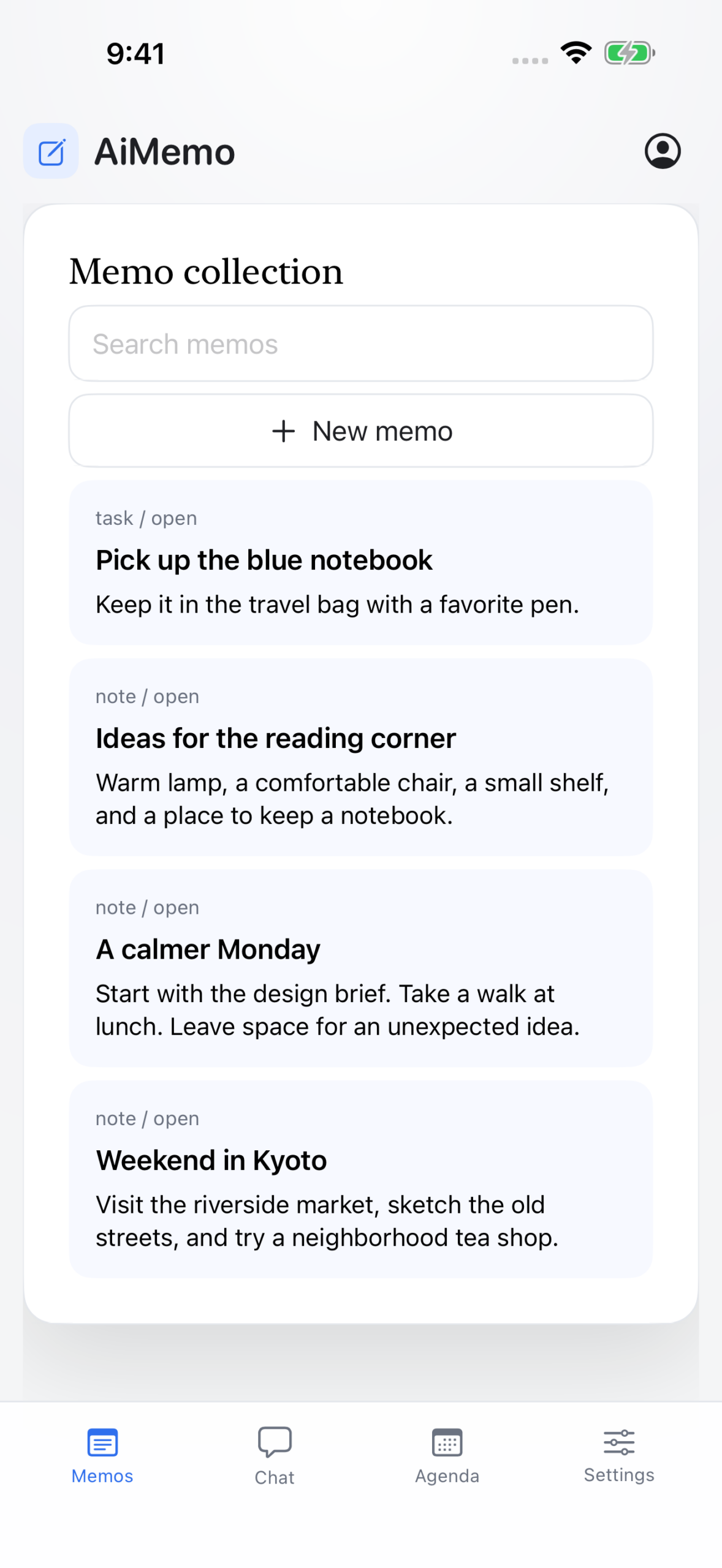
The iPhone testing build, using demonstration notes. The web app is available now; the mobile releases are still in store review at the time of writing.
Dates deserve a second look. Give an exact date when it matters, then check the saved due date in your local time. AiMemo has an agenda for dated tasks and events, but push reminders are not available in this release. A visible date is not an alarm.
Dictation and a voice message are different jobs
Sometimes you only want to speak instead of type. Voice typing puts a transcript in the draft so you can read it before sending. A voice message goes to the assistant for processing. Keeping those actions separate gives you a chance to catch the wrong name or number before it becomes a saved instruction.
Try a short, unimportant sentence first. Correct the transcript, send it, then open the resulting memo. That little loop tells you more about whether a tool suits you than importing a year’s notes on the first day.
Keep the notes usable without the assistant
Manual memos work without enabling AI. If you choose AI processing, message text and relevant context are sent to the configured model service; recordings go to the speech server for transcription. These are online features, not entirely on-device processing. The permission screen explains the choice before you use them.
The useful habit is to review what was saved. An assistant can misunderstand “next Friday” or turn a passing thought into a task you never intended to do. Being able to edit the memo matters more than a confident reply.
Open AiMemo and save one small thing. The current release is free and requires an account. You do not need to move your whole notebook to find out whether this way of capturing a thought helps.