
Finding a book you want to read is one thing. Finding it in a form that helps you read another language is harder. A translation in a separate tab can help, but every switch interrupts the sentence you were trying to understand.
I built Bunko to keep the original and its translations together. There is also a small button in Settings that matters to me: Request a book. The library should have room for what people actually want to read.
Table of Contents
One request that reached the shelf
A recent book request was for Alfred Adler’s What Life Should Mean to You, known in Chinese as《自卑与超越》. The prepared edition now has twelve chapters in English, Chinese and Japanese.
Once it was published to Bunko’s catalogue, readers could find it by reopening or refreshing the library. No new app release was needed to deliver the book.
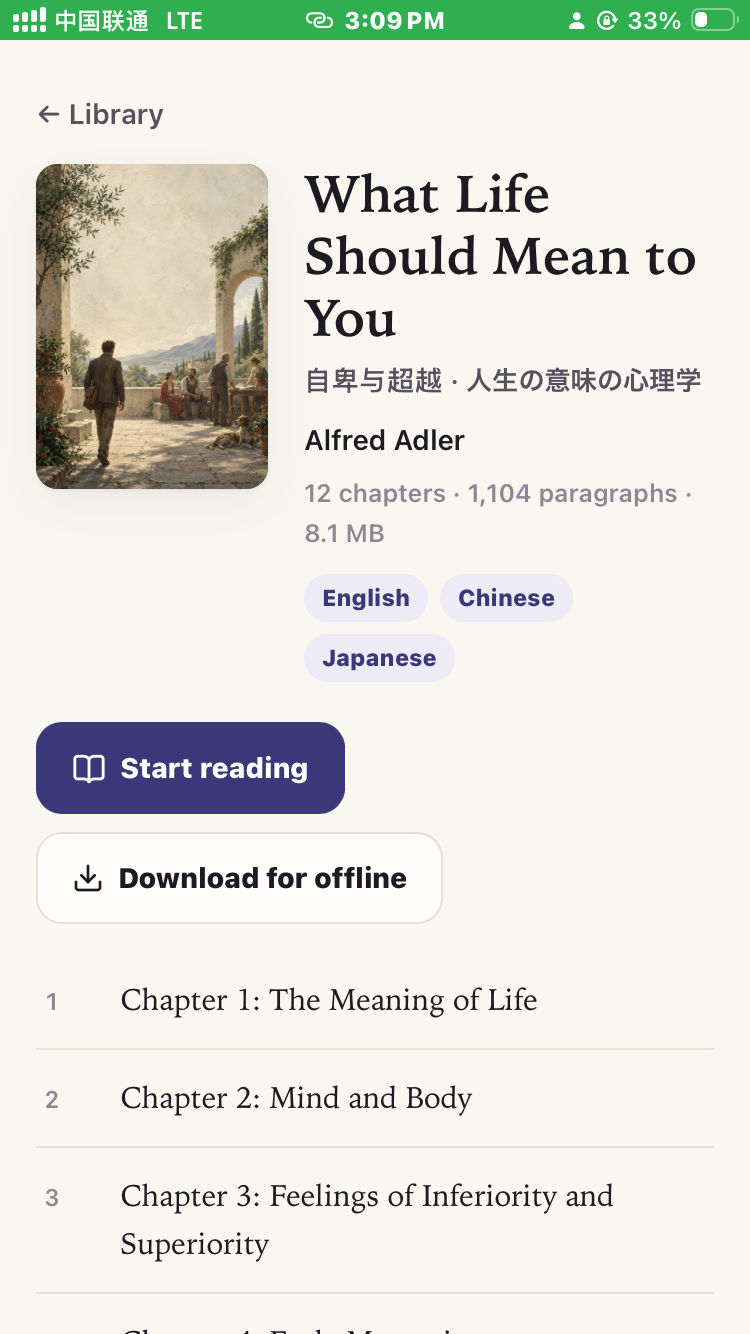
A completed request on the shelf. Actual app screenshot; cover artwork is AI-generated.
That is the part I wanted to show here: a request does not have to end as a suggestion in a forgotten inbox. It can become a book that other readers can use too.
Read one paragraph, then return to the original
You do not have to display three languages at once. Choose the original alone, read a translation, or place the language layers together. In the screenshot below, the English passage is followed by its Chinese rendering.
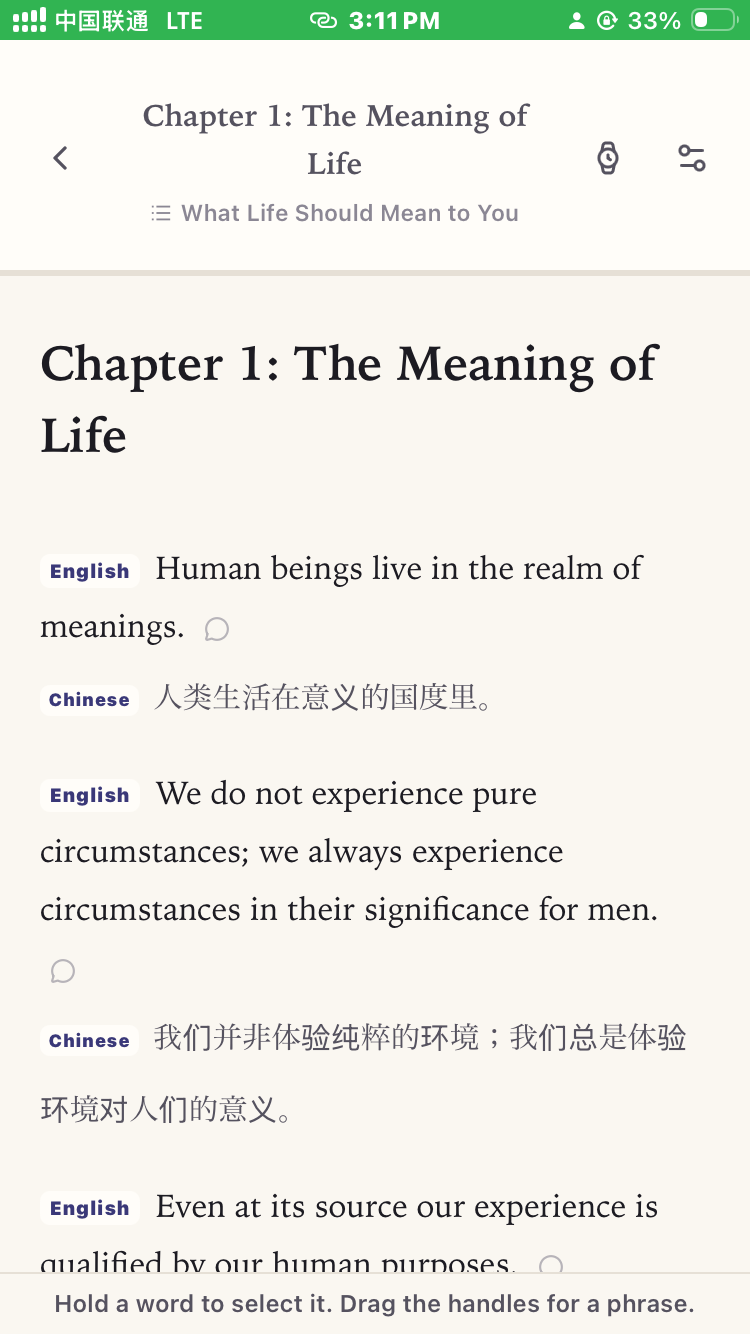
The original and translation stay in the same reading view.
A simple way to use this is to read a short passage in the language you are practising, check the translation when you get stuck, then return to the original. You can compare how the idea is expressed without copying each paragraph into a translator.
Chinese pinyin and Japanese furigana are available in editions with reading annotations. Download a book to keep reading it offline. The translations are AI-assisted reading aids: when wording matters, compare the original rather than treating a rendering as the final authority.
How to request a missing book
First, search Bunko’s library; it may already be there. If not:
- Open Settings → Request a book and enter the title.
- Bunko opens a prefilled GitHub issue. Add the author, a source link if you have one, and the languages you would like to read.
- Submit the request with your GitHub account. These requests are public, so keep personal details out of them.
Requests are for public-domain or otherwise rights-cleared sources. The particular edition and distribution region matter; an old publication date alone does not establish permission.
The preparation uses AI, but this is not an instant “translate any book” service. Source review, preparation, checks and publication still come before a book reaches the shared library. A request is a suggestion, not a guaranteed commission or delivery date. You can follow its progress in the GitHub thread.
When a completed edition is added, refresh the library, open the book and choose your languages. That is the reading experience I want Bunko to make easier: staying with a book you care about, even when some of its language is unfamiliar.
Bunko is available on the Apple App Store and Google Play.