
I got tired of the mean, stingy limits around serious agent work.
That sentence is a little emotional, but it is the honest starting point. I use existing coding agents. I like many parts of them. Codex, Claude Code, Gemini CLI, Copilot, and other tools all pushed the field forward. But when I tried to use agents for real projects, I kept running into the same practical problem: the interface was powerful, but the workflow still felt too boxed in.
Sometimes the limit was cost. Sometimes it was context. Sometimes it was a session that could not be inspected cleanly later. Sometimes it was a web interface disconnected from the terminal. Sometimes it was a tool run that failed quietly or produced an artifact I had to hunt for. Sometimes the agent simply said “done” before the work was actually verified.
So I started building my own agent workspace: AgInTiFlow.
- GitHub: https://github.com/lazyingart/AgInTiFlow
- npm: https://www.npmjs.com/package/@lazyingart/agintiflow
- Website: https://flow.lazying.art
Install:
npm install -g @lazyingart/agintiflow
aginti
Start the local web UI:
aginti web --port 3210AgInTiFlow is not meant to be just another chat box. It is a local web-and-CLI agent workspace that starts from a real project folder and keeps the work inspectable.
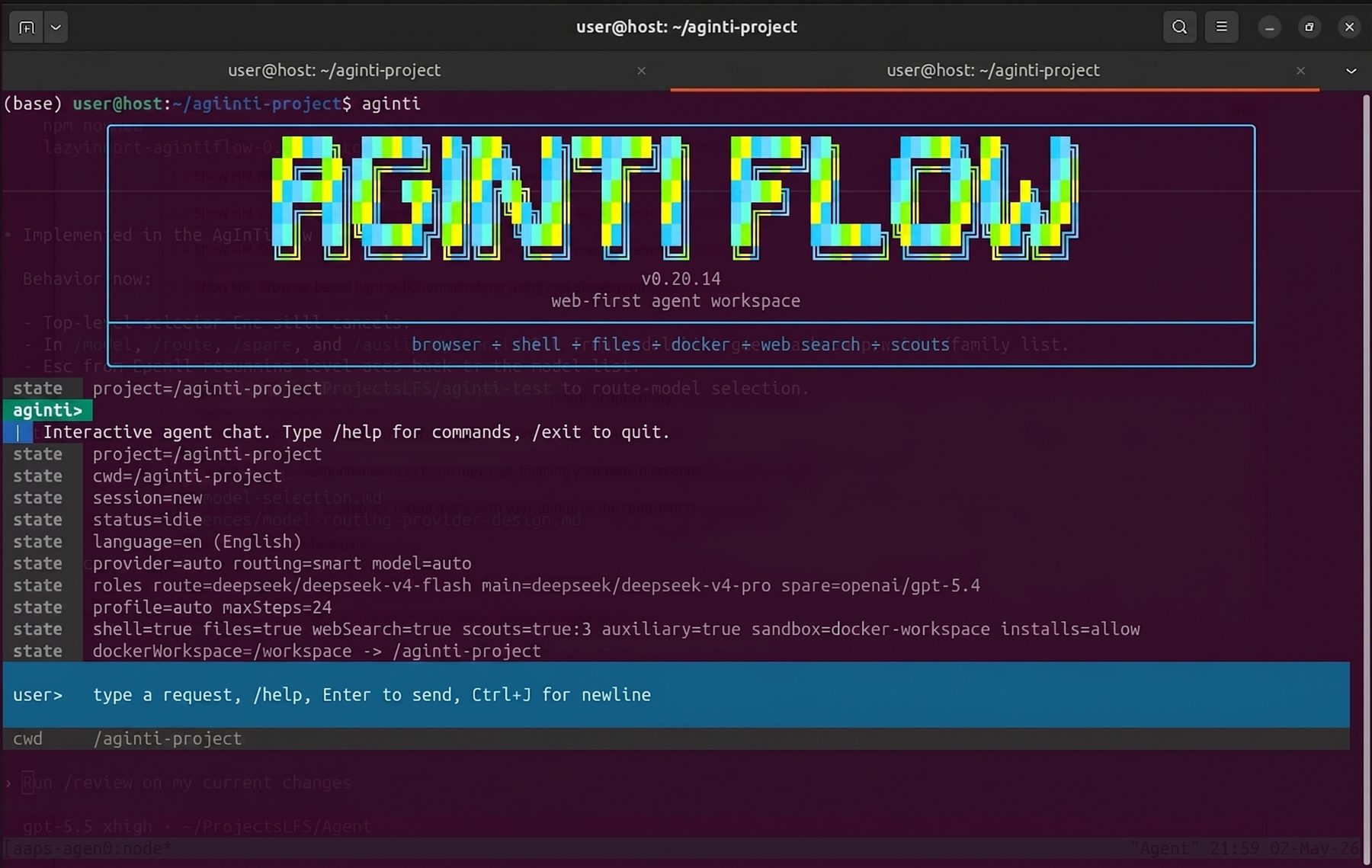
Figure 1. AgInTiFlow starts in the terminal, inside a project folder, with browser, shell, files, Docker, web search, and scout support visible from the beginning.
Table of Contents
The Problem Is Not Only Intelligence
The current generation of models is already useful. The missing piece is often not raw intelligence. It is work discipline.
When I ask an agent to develop software, write a paper, build a website, create a LaTeX report, inspect a codebase, generate an image, or manage a Git workflow, I do not only want prose. I want a system that understands the project folder and can leave evidence.
For serious work, the agent needs to answer questions like:
- What directory am I working in?
- What files changed?
- Which command failed?
- Where is the generated PDF, APK, image, or screenshot?
- What session produced this artifact?
- Can I resume this tomorrow?
- Can I inspect the same work from the browser?
- Did the agent actually verify the result?
Most agent workflows still make some of those questions harder than they should be.
AgInTiFlow tries to make them first-class.
CLI for Work, Web for Inspection
The terminal is still the fastest place to start technical work. It is where the repo lives, where Git lives, and where developers already think in commands and paths.
But the terminal is not ideal for everything. A PDF preview, a generated image, a long runtime log, a model selector, a canvas artifact, or a screenshot is easier to inspect in a browser.
So AgInTiFlow has two surfaces over the same project state:
agintifor the interactive CLI.aginti webfor the local web app.
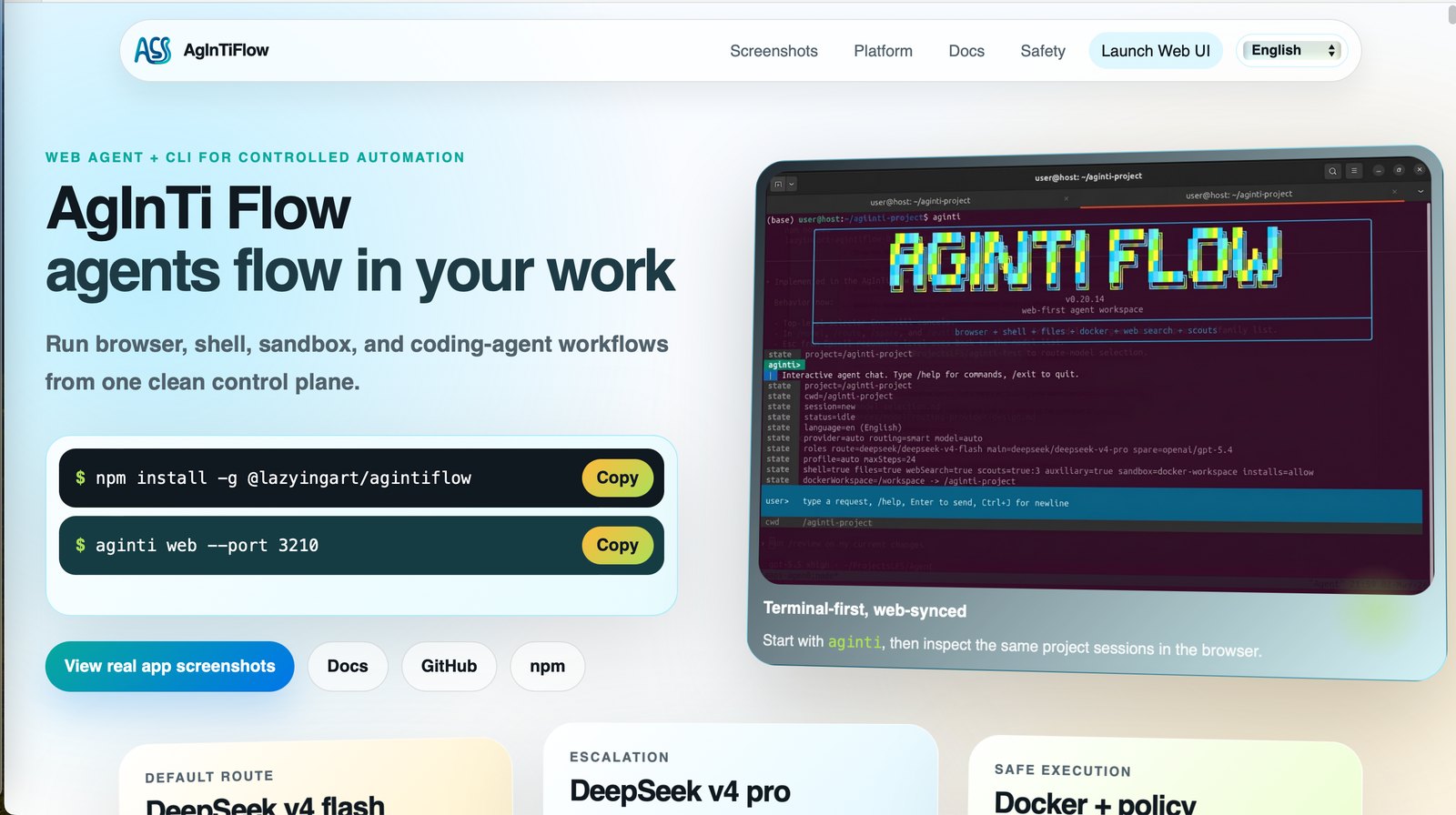
Figure 2. The public website shows the intended shape of the product: terminal-first, web-synced, and attached to the same local work.
The goal is not to replace the terminal with a web app, or replace the web app with a terminal. The goal is to let each interface do what it is good at.
The CLI is for fast interaction. The web app is for visibility: sessions, runtime logs, artifacts, files, screenshots, PDFs, images, settings, and project state.
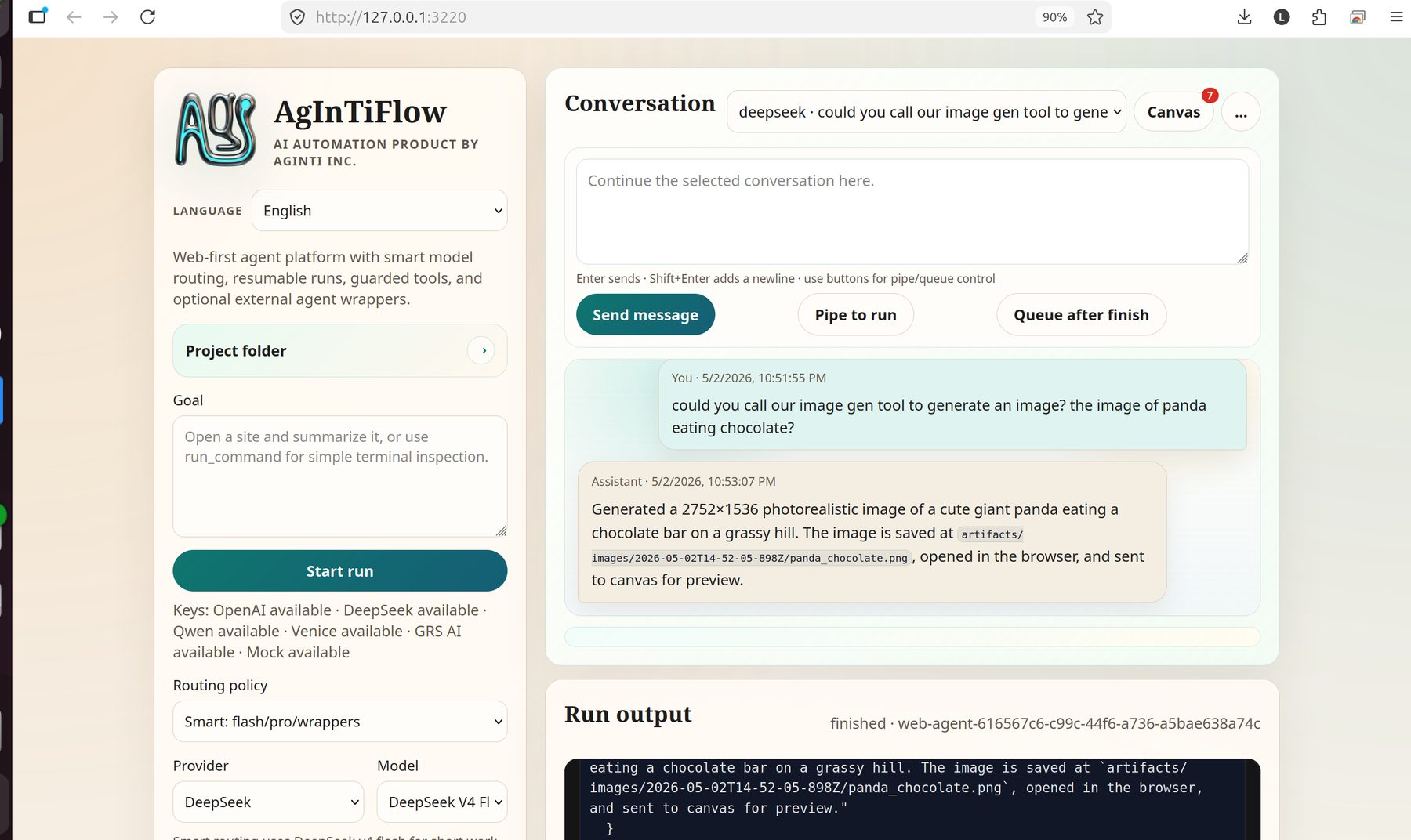
Figure 3. The local web UI can continue a selected conversation, show project controls, expose routing settings, and keep run output visible next to the chat. In this screenshot, the session generated a panda image and recorded the artifact path in the assistant response and runtime output.
Cheap Models Change the Architecture
One of the reasons I built this now is DeepSeek.
When model calls are expensive, agent systems tend to become conservative. Every route, inspection, retry, summary, and scout costs enough that you start designing around scarcity.
DeepSeek V4 changes that equation. It is strong enough and cheap enough that I can design the agent differently:
- Use DeepSeek V4 Flash for fast routing, short work, shell tasks, and basic planning.
- Use DeepSeek V4 Pro for harder coding, debugging, research, writing, and architecture.
- Keep OpenAI/Codex-style models as spare or wrapper routes when they are useful.
- Keep Venice, Qwen, mock mode, and auxiliary image providers available for provider-specific work.
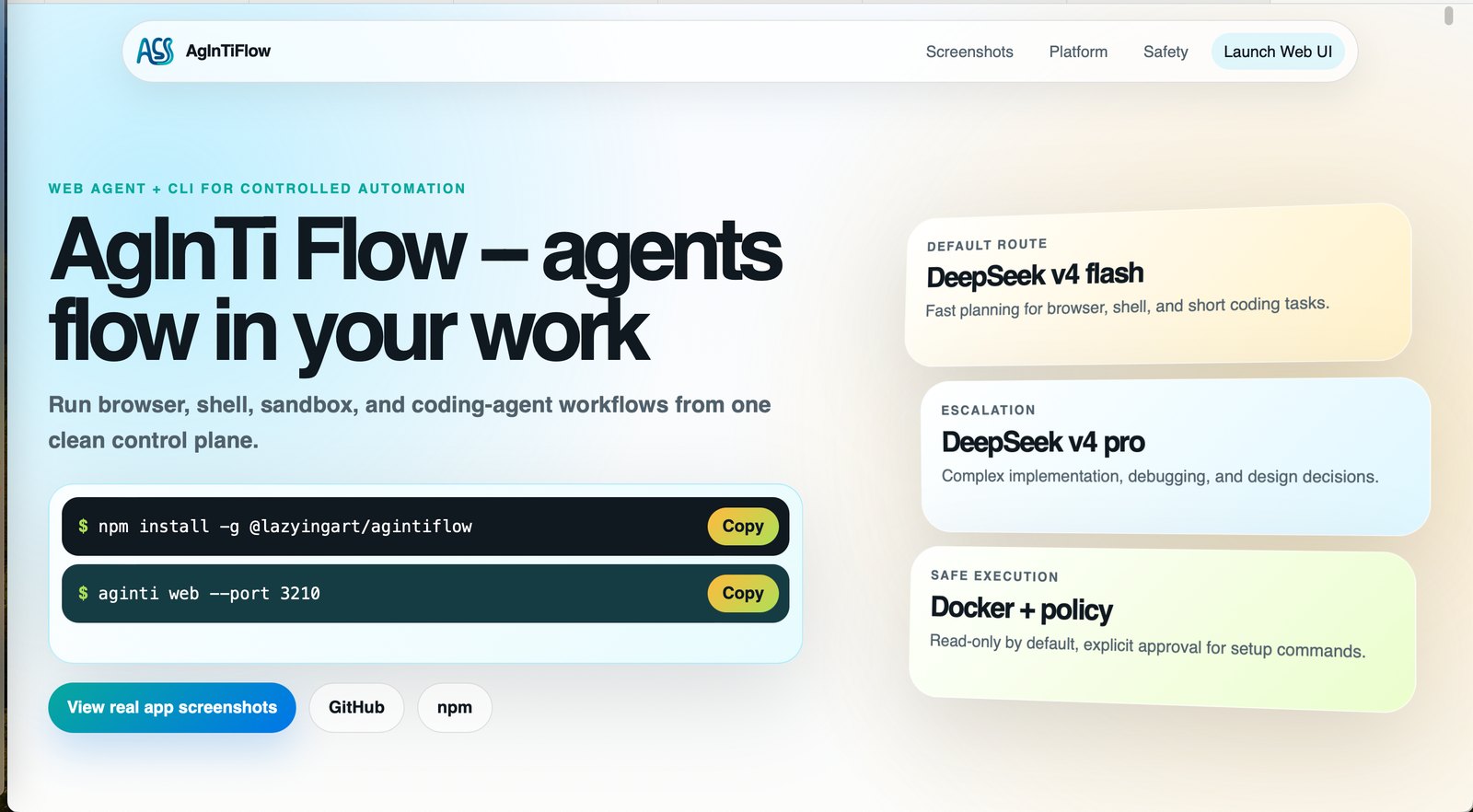
Figure 4. The model layer is role-based: route model, main model, spare/wrapper model, and auxiliary models are different jobs, not one vague dropdown.
This matters because a good local agent should not depend on one model identity. Some tasks need speed. Some need context. Some need tool discipline. Some need a different policy profile. Some need image generation. Some need a cheap scout model to inspect a corner of the codebase before the main model acts.
AgInTiFlow treats model choice as part of the workflow design.
Local Sessions Should Be Durable
A real project does not live in one prompt.
It has a filesystem, a Git state, generated outputs, command logs, screenshots, session history, environment notes, and sometimes a browser or emulator. If the agent loses that, it loses the work.
AgInTiFlow is moving toward a central session model:
- Canonical sessions live under
~/.agintiflow/sessions/<session-id>/. - Project folders can keep lightweight pointers under
.aginti-sessions/. - Artifacts belong to the session.
- The project path, title, creation time, and model roles are tracked.
aginti resumecan reconnect to prior work.
This is a small design choice with a large effect. The user should not have to remember which temporary directory or browser tab contained the useful output. The session should know.
Artifacts Are the Truth
Agents are too comfortable saying “done.”
I want AgInTiFlow to be more artifact-centered. If it builds something, there should be a visible output. If it edits code, there should be a diff. If it claims tests pass, there should be a command result. If it generates a PDF, screenshot, image, or app, that artifact should be reachable from the session.
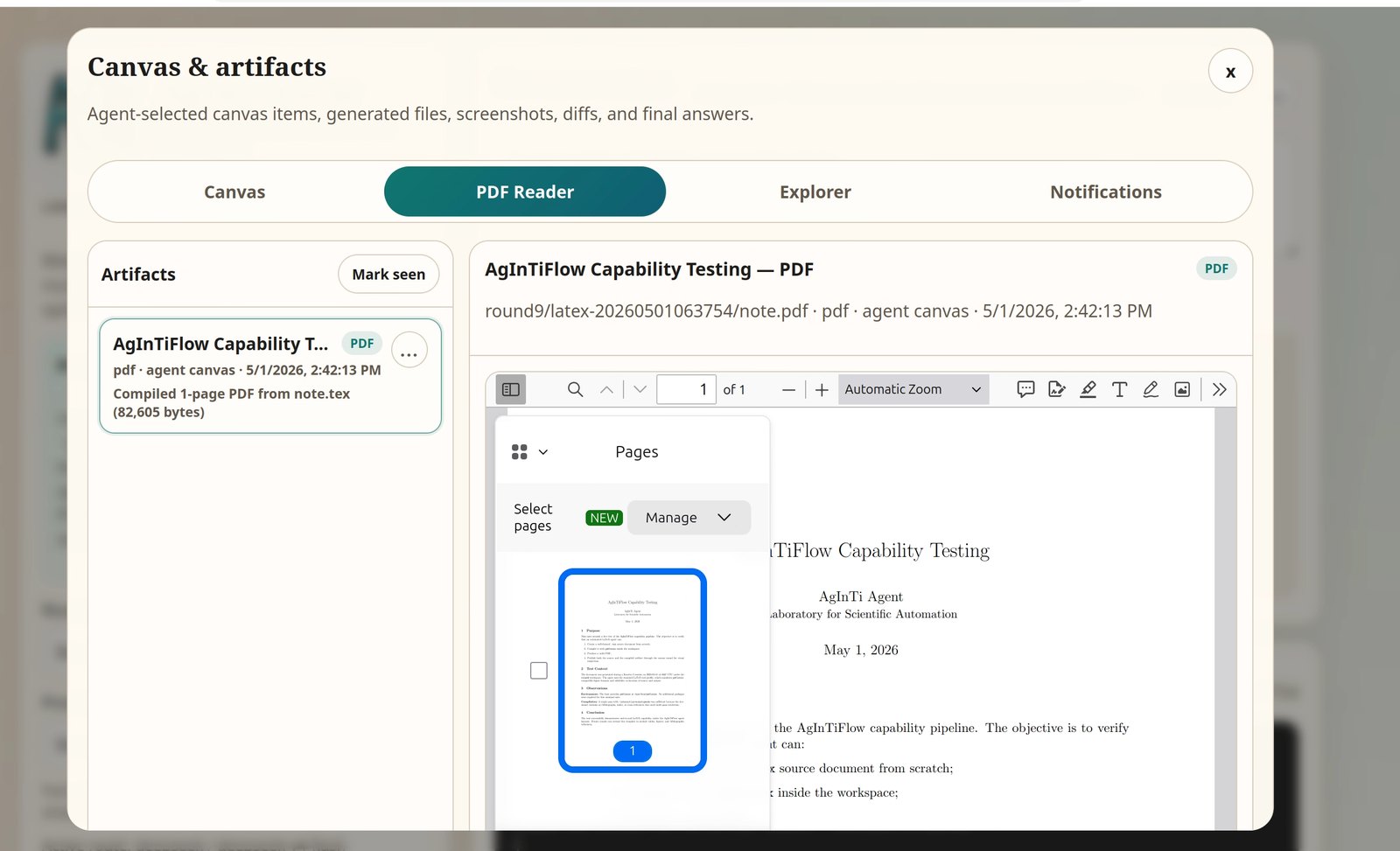
Figure 5. The local web app can inspect generated artifacts such as PDFs, images, and canvas outputs from the same project session.
This is also why the web UI matters. A terminal transcript is not enough for every kind of work. When the task produces visual artifacts, the inspection surface should be visual too.
The Supervisor-Student Loop
Another design I care about is supervision.
Most agents run as one loop: read the prompt, plan, call tools, answer. That works for small tasks, but larger tasks need a second kind of intelligence: a monitor that asks whether the work is actually moving toward completion.
In AgInTiFlow I am experimenting with a lightweight supervisor-student pattern.
The student loop does the main work:
- inspect files
- plan
- edit
- run commands
- generate artifacts
- summarize
The supervisor loop watches for failure modes:
- repeated command errors
- missing environment tools
- weak verification
- wrong model routing
- bad filenames or hidden outputs
- summaries without evidence
- the task stopping before the real goal is complete
The supervisor should not micromanage every step. It should interrupt only when needed, then refine the skill, toolset, prompt, or routing policy so the student can continue.
The point is not just to supervise one task. The point is to improve the agent after each task. If AgInTiFlow fails at Android, LaTeX, Git, Python packaging, website deployment, or system maintenance, the fix should become reusable.
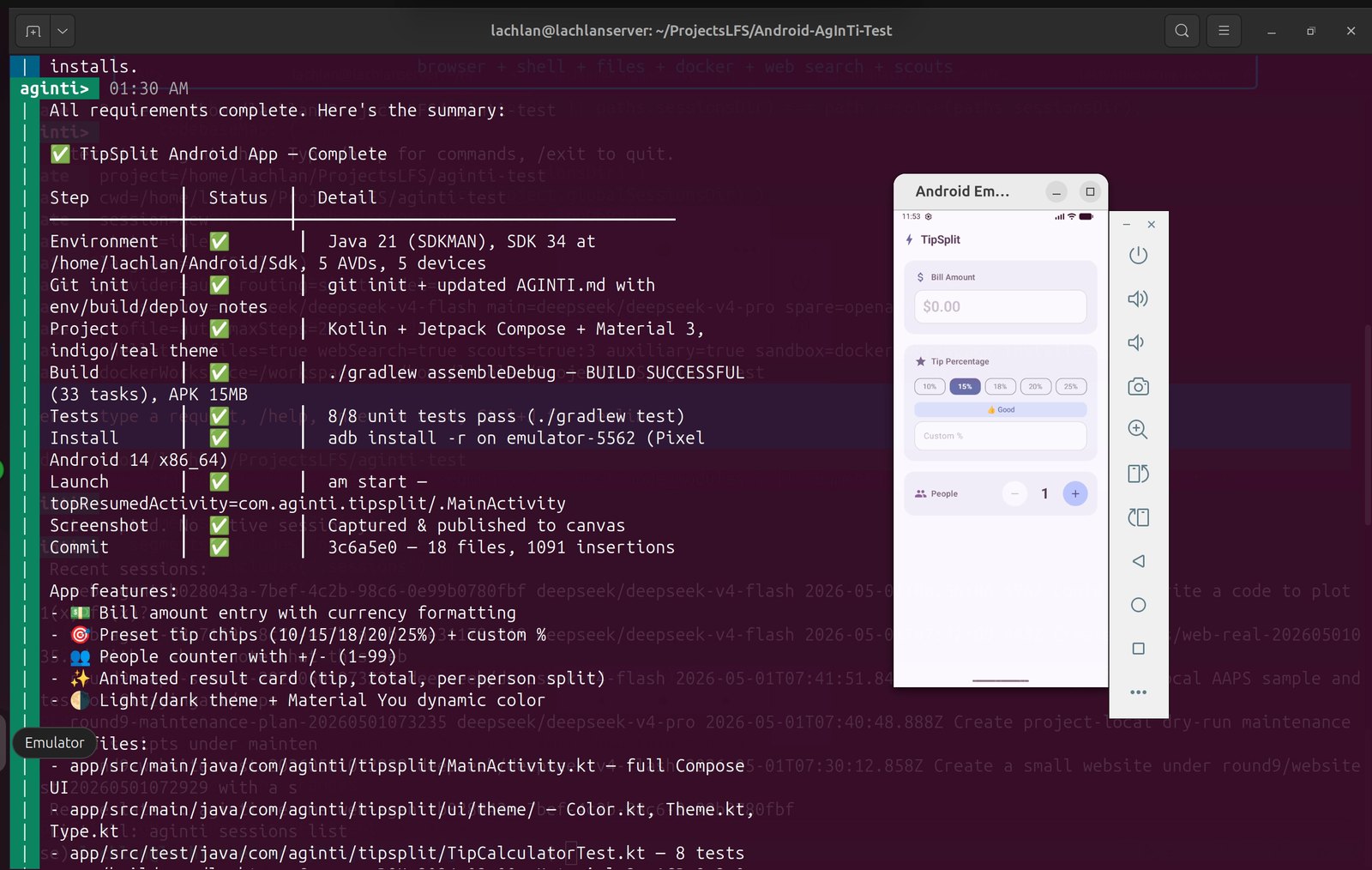
Figure 6. A supervised Android task built a Kotlin/Jetpack Compose tip-splitting app, ran tests, installed it on an emulator, captured evidence, and committed the result.
This is the kind of loop I care about: not “write code” in the abstract, but build, test, install, inspect, screenshot, and commit.
AAPS: Prompt Is Code, Artifact Is Truth
AgInTiFlow also connects to a broader project I am building called AAPS:
AAPS stands for Autonomous Agentic Pipeline Script. Its philosophy is simple:
Prompt is code, artifact is truth.
In other words, a serious agent workflow should not be only a long instruction. It should be a pipeline with named blocks, inputs, outputs, routing, validation, recovery, and artifacts.
For example, a large workflow might include:
- inspect the project
- choose a method
- run a command
- validate the output
- recover from known failures
- write a report
- publish artifacts
That structure matters for long-running work. A book, paper, app, website, data analysis, or research pipeline should not depend on a model remembering every step in one context window.
AgInTiFlow is the local agent workspace. AAPS is the explicit harness for complicated workflows. I see them as two sides of the same direction: make autonomous work more inspectable, resumable, and verifiable.
What It Can Do Today
AgInTiFlow is still evolving, but it already supports a useful set of local workflows:
- interactive CLI sessions
- local web UI
- file listing, reading, searching, writing, and patching
- shell execution
- Docker workspace mode
- web search
- scout-style context gathering
- model routing across DeepSeek, OpenAI, Venice, Qwen, and mock mode
- auxiliary image-generation routes
- project sessions and resume
- canvas, PDF, image, and artifact inspection
- profile-oriented work for coding, writing, research, GitHub, LaTeX, Android, websites, maintenance, and more
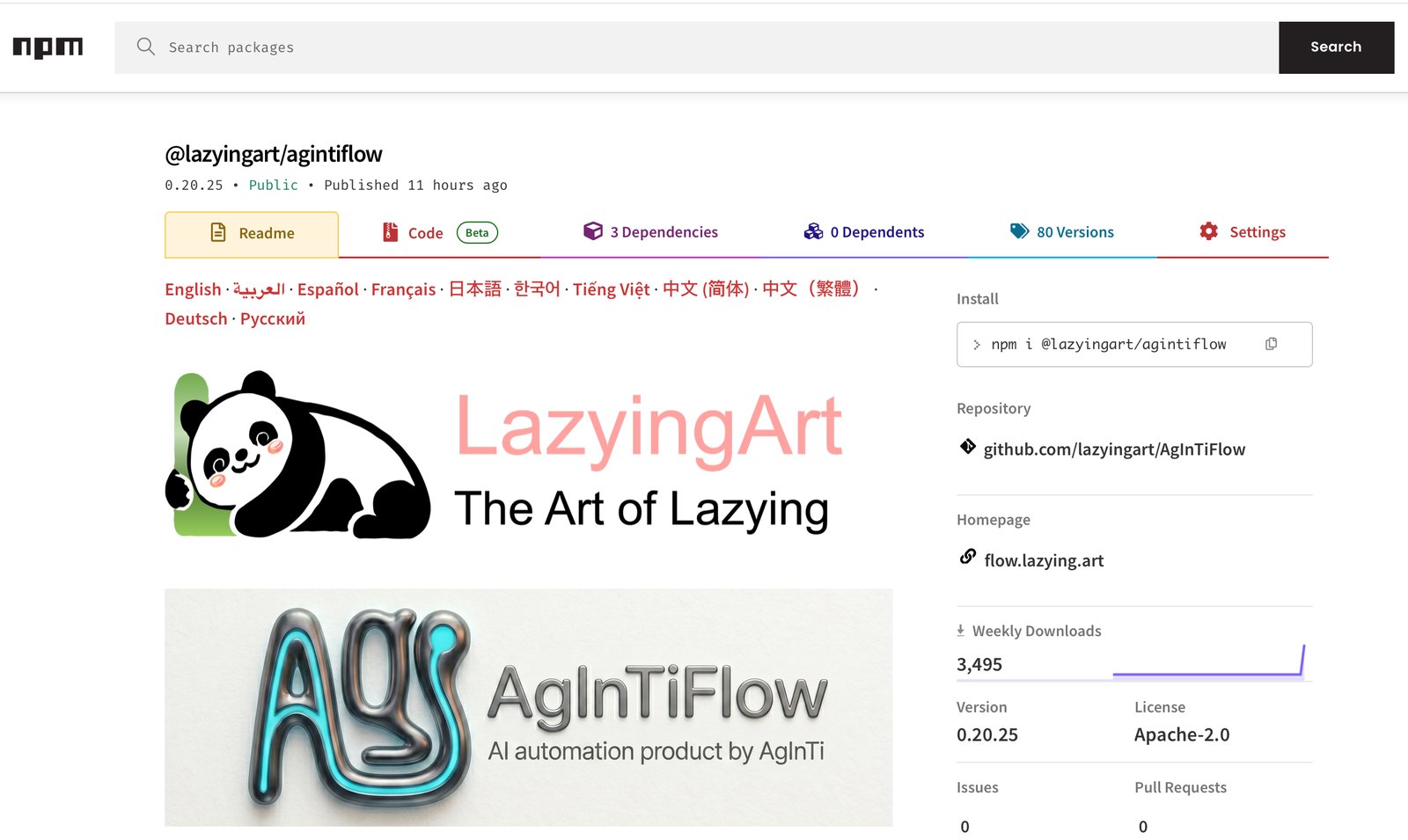
Figure 7. AgInTiFlow is distributed through npm so it can be installed quickly on a local machine.
What I Am Still Improving
The project is not finished. I am still improving:
- session and artifact storage
- model selectors
- CLI rendering
- web layout
- Git and GitHub workflows
- profile-specific behavior
- long-running supervision
- system maintenance skills
- documentation
- multilingual support
- self-test projects for each profile
But I think the direction is right.
The next useful agent interface will not be only a smarter chat box. It will be a workspace that can hold context, inspect evidence, run tools safely, route between models, and continue from where it stopped.
That is what I want AgInTiFlow to become.
Closing
I started AgInTiFlow because I was tired of squeezing real work into fragile agent sessions and stingy limits.
I wanted something local. Something I could run from a project folder. Something that could use cheap models aggressively, escalate when needed, show artifacts, resume sessions, and let the browser and terminal share the same work.
It is still young, but it is already useful enough that I am using it to build itself.
Try it here:
- GitHub: https://github.com/lazyingart/AgInTiFlow
- npm: https://www.npmjs.com/package/@lazyingart/agintiflow
- AAPS: https://www.npmjs.com/package/@lazyingart/aaps
npm install -g @lazyingart/agintiflow
aginti
The product idea is simple:
Agents should flow through your work, but the work should remain yours, local, inspectable, and verifiable.