
“Install the Google framework” suggests that Google Mobile Services (GMS) is merely a few APKs that can be added to any phone. It is not. AOSP is an open-source platform; GMS and the Google Play Store are a proprietary suite licensed by Google to device manufacturers whose devices pass compatibility testing. Official support depends on the exact model, sales territory, SKU, vendor ROM channel, and current system build, not just a brand or marketing name.
This guide first determines whether this specific phone has official GMS/Play Protect certification, then gives vendor-supported recovery routes and lawful alternatives that do not depend on GMS. It provides no APK installer, mirror, sideload bundle, signature spoofing, root, bootloader bypass, region falsification, or Play Integrity evasion.
Stop first when: The device holds banking, payment, work, authenticator, eSIM, or the only copy of photos or chats. Do not try an installer or flash first. Complete and verify backups, account recovery, and a second authentication factor. Give organization-managed devices to IT; obtain owner authorization for any device that is not yours.
Table of Contents
1. Build an exact, non-sensitive device inventory
Record the following from Settings → About phone/tablet, the packaging label, and the vendor support page. Menu names vary by manufacturer.
| Field | Why it matters | Do not publish |
|---|---|---|
| Brand and marketing name | Initial product-family lookup only | Purchasing account or order address |
| Complete model code | Google and vendor lists distinguish models/variants | Serial number, IMEI, or MEID |
| Sales territory, SKU, carrier edition | Same-name phones can use different ROMs and licensing | SIM/eSIM identifiers and phone number |
| Android/vendor OS version | Support lifetime and update route | Account email |
| Complete build number | Distinguishes official regional branches and custom systems | Enterprise asset tag |
| Android security-update date | Current security posture | No device ID is needed |
| Whether Play Store was factory-installed | One evidence point, not certification by itself | Do not upload account-page screenshots |
| Work-profile/device-management state | Policy may restrict stores and installation | Organization name and internal policy details |
Do not create model evidence with a third-party “device rename” tool. If packaging, system settings, and vendor service records disagree, have the vendor establish authenticity, territory, and repair history first.
2. Cross-check three official evidence sources
Do not infer support from a forum claim that “this model can install it.” Check in this order:
- The vendor page for this territorial model. On the official support site for the actual sales territory, find the model, ROM branch, manual, and GMS/Google Play statement. The Android manufacturer-support directory locates major vendors, but final evidence must identify the exact regional model.
- Google's supported-device list. The Google Play supported-device guidance links the official list. Search the complete model code, not the family name. If a new device is not listed yet, ask the manufacturer; do not declare it certified yourself.
- The on-device certification state. If the Play Store was vendor-preinstalled, open Play Store → profile icon → Settings → About → Play Protect certification. Google's certification-check guidance documents the current path.
A brand appearing among Play Protect certified partners means that manufacturer ships some certified products, not that every territorial variant is certified. A used phone may also have a replaced board, ROM, or system partition, so check both the model list and the current device state.
3. Choose the branch supported by the evidence
| Finding | Interpretation | Safe next step |
|---|---|---|
| Official territorial page supports GMS, model is listed, device says certified | Official support and healthy current state | Use only official system and Play Store updates |
| Model is listed but device says not certified | Current build, network, account, or device state is abnormal | Record full build/error, update first, then use vendor/Google remediation if it persists |
| Play Store is absent and vendor says this territorial edition omits GMS | This variant has no official GMS route | Use the Web/PWA/F-Droid alternatives below or change to a certified device |
| Model is absent and vendor cannot confirm | Official support cannot be established | Do not install a “framework package”; contact vendor/retailer or return it |
| Custom ROM, unlock warning, root, or unofficial repair history | Current software trust chain is unknown | Do not enter sensitive accounts; obtain an exact-model vendor service assessment |
| Work profile or company ownership | EMM/MDM policy may control it | Contact IT; do not modify the system or install source yourself |
“Play Store opens” is not certification, and “login worked once” does not prove that updates, push, backup, payments, or integrity checks will remain functional.
4. Separate five commonly confused concepts
| Concept | What it establishes | What it does not establish |
|---|---|---|
| AOSP | An open-source Android platform can be built | A license for Google's proprietary apps |
| Android compatibility/CTS | The implementation follows the matching CDD and passes compatibility testing | The manufacturer necessarily obtains a GMS license |
| Play Protect device certification | Google records the device model/build as eligible for licensed Google apps | Every app is compatible or the device remains unmodified forever |
| Google Play Protect | App scanning and harmful-app protection | It can turn an uncertified device into a certified one |
| Play Integrity | App/server signals about app, device, and account environment | A user-facing GMS install switch or certification repair tool |
The AOSP compatibility overview separates compatibility from potential later GMS licensing. The Play Integrity overview likewise describes a developer risk-assessment interface. Disabling Play Protect does not repair certification, and forging Integrity signals is not a supported route.
5. Verify backup and account recovery before any remediation
A backup is not complete merely because a switch says “on.” Verify each relevant item:
- Photos, documents, chats, contacts, messages, call history, and in-app data have separately openable copies. Some apps do not participate in system backup. The Android backup guidance also notes that restore capability varies by app and Android version.
- Record the official process needed to transfer an eSIM, rebind banking/payment apps, reenroll enterprise certificates, and recreate a work profile. Do not assume system backup restores them.
- On another trusted device, verify Google/vendor passwords and recovery email/phone, and store an offline second-step method. Google's backup-code guidance stresses that each code is single-use and must not be shared.
- Open a sample of local backup files and record date, scope, and restore-test result. Cloud-only, phone-only, or a sync-status icon alone is not an independent backup.
Before recovery, reset, unlock, or flashing, also confirm charge, stable network, official recovery media, exact model, and an accessible service center. Stop if the recovery path cannot be verified.
6. Use only a vendor-signed, exact-model recovery route
If the evidence says this device should be certified but its state is abnormal, proceed from lower to higher risk:
- Check vendor OTA, Android security update, and Google Play system update under Settings → System → Software update. The Android update guidance notes that schedules vary by device, manufacturer, and carrier.
- Reboot, then recheck full build and Play Protect certification. Make and record one change at a time.
- Use Fix device issue on the certification page if it is offered, and preserve the error text. If the button is absent, do not download a third-party “fixer.”
- If it still fails, give the exact model, region, build, purchase channel, certification state, and completed official updates to the vendor service center or retailer. Accept only a recovery package, tool, or service operation signed for that exact variant.
Do not treat another territory's firmware, another submodel's package, a downgrade image, or a “global conversion” as an equivalent update. Do not alter region properties or the device fingerprint. If the vendor has no public user recovery route, use an authorized service center rather than guessing partitions.
7. Bootloader, warranty, and data-wipe boundaries
This guide neither requires nor recommends bootloader unlocking. AOSP's locking and unlocking guidance says unlocking normally triggers a factory data reset; relocking is also a high-risk state transition. A vendor may additionally restrict unlocking, affect warranty/service, trigger anti-rollback, or leave the device unbootable.
Unlocking, root, custom recovery, signature spoofing, and system-partition changes alter the trust chain and can cause Play Protect certification, Play Integrity, enterprise compliance, banking/payment, DRM, passes, or games to refuse operation. Do not weaken a security boundary for one app message, and never blindly relock on a non-vendor image. To return to an official state, back up first and have the exact-model vendor documentation or authorized service center define recovery and rollback.
8. Network and regional availability are not bypass problems
Device certification, Google-service availability where you reside, network reachability, and account/app territory eligibility are separate questions. Use a stable network permitted in your current residence, correct date and time, and preserve the original error. Do not use a VPN, proxy, DNS deception, false territory/payment details, or a borrowed account to change the result.
If a certified device cannot access a service because of local network or product policy, certification does not remove that restriction. Check Google, app developer, vendor, and carrier territory statements. Where service cannot lawfully be provided, use the next section's alternatives or another suitable device.
9. Work-profile and organization policy outrank personal experiments
Android Enterprise's device-policy guidance shows that an organization can restrict unknown sources, stores, accounts, networks, debugging, system updates, and even erase a device. Managed Google Play in a work profile also shows only administrator-approved apps.
When you see “managed by your organization,” “Action not allowed,” or briefcase icons, preserve the error and contact IT. Do not remove management, sideload the same work app into the personal profile, disable security software, or factory-reset to evade policy. Those actions can delete corporate data, trigger a compliance incident, or prevent reenrollment.
10. Safe alternatives when official GMS is unavailable
If the exact variant officially lacks GMS, the safest conclusion is normally to accept the non-GMS boundary or use a certified device—not assemble proprietary components. Evaluate only:
- The provider's official Web/PWA. Use the service's own official domain. If it formally offers an “install app” function, it may work as a PWA. Offline, background sync, push, passkey, payment, DRM, file, and accessibility capabilities can differ from a native app. The web.dev PWA course explains the capability and install model; actual support still depends on that service and browser.
- Open-source apps in F-Droid. Obtain the client and repository only through the official
f-droid.orgentry, then inspect app homepage, source, permissions, update cadence, known anti-features, and signing channel. The F-Droid security model describes its builds, metadata, and signing, but inclusion is not Google review, absolute safety, or proof of suitability for sensitive accounts.
F-Droid cannot provide the proprietary Play Store or Play services and cannot make a device certified or pass Integrity. Some open-source apps still depend on FCM, Google Maps, Play Licensing, or other GMS APIs and may lose functions. Do not download APKs from aggregators or seek a signature-spoofing replacement framework.
11. Account, 2FA, and financial-app risk
Do not enter Google, work, bank, payment, crypto-asset, or password-manager credentials on an uncertified device, an unknown build, or a phone that has run a “framework installer.” An unknown installer may request device administration, accessibility, notification access, certificates, or elevated privileges and intercept logins and codes.
If such an installer was already run:
- Stop entering new credentials on the phone and record install time, source, package name, permissions, and anomalies.
- From another trusted device, secure email and the Google account, inspect sessions, recovery methods, and 2-Step Verification. Do not generate or store new backup codes on the suspect phone.
- Ask the bank, payment provider, or organization security team whether sessions should be revoked, apps rebound, or transactions monitored.
- After verifying an independent backup, use the vendor's official reset/recovery or an authorized service center. Removing an icon or clearing cache does not establish that system partitions, certificates, and account tokens are trustworthy again.
Financial and identity apps may lawfully reject environments that fail Integrity, certification, update, or device-management policy. Do not hide root, unlock state, or device identity to pass a check.
12. Validate the result and know when to stop
After a vendor-supported update/recovery, record exact model, region, build, security update, and management state again; then recheck Google's supported list and on-device Play Store certification. Test updates and notifications with an ordinary app containing no sensitive data before any banking app.
Stop and escalate on any of these conditions:
- Model, territory, or build cannot be reconciled with vendor records.
- Google's official list conflicts with the vendor response, or the device remains uncertified.
- A fix requires an unknown APK, mirror, sideload bundle, disabling Play Protect, root, unlocking, signature spoofing, fingerprint/territory modification, or Integrity evasion.
- There is no verified backup, alternate 2FA, official recovery package, or service rollback path.
- The device is managed, under warranty/lease, or not owned by the operator.
- The phone contains financial, work, identity, or health data whose loss or disclosure is unacceptable.
Give the non-sensitive inventory and original error to the manufacturer, retailer, carrier, organization IT, or official Google support. If official support cannot be proved, choosing a non-GMS route or a certified device is a complete and safe outcome.
Official sources
- Google: check and fix Play Protect certification
- Google Play: supported-device list entry
- Android: Play Protect certified devices
- AOSP: Android Compatibility program
- Android Developers: Play Integrity overview
- Google Play: how Play Protect works
- Android: check and update the system
- Android: backup and restore
- Google Account: 2-Step Verification backup codes
- Android: contact the manufacturer or carrier
- Android Enterprise: policies an organization can enforce
- AOSP: bootloader locking and unlocking
- web.dev: PWA foundations
- F-Droid: security model
Historical source archive (inert text; do not execute or download)
The complete visible source_export body follows only to preserve the 2023 article's provenance. The two installers it recommends have not been verified by this guide. Allowing unknown sources, trying APKs repeatedly, clearing Google-component caches, or temporarily bypassing system security warnings is not current guidance. Nothing was deleted, rewritten, whitespace-normalized, or redacted for privacy/tracking. The GitHub and dead image addresses are inside a plain-text fence, not active links or download recommendations.
大家好,今天我要分享一个特别的技巧——如何在中国的手机上安装谷歌框架。
我们都知道,在中国,由于某些原因,谷歌的服务并不容易获取。这对于我们这些希望充分利用智能手机功能的用户来说,无疑是一个挑战。但是,有了我最近在GitHub上发布的安装器,这一切都变得可能了。
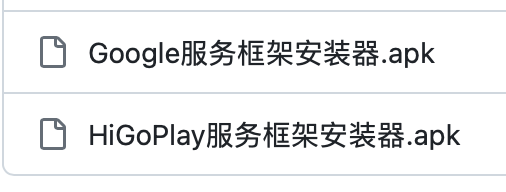
在我的 [GitHub仓库](https://github.com/lachlanchen/the-art-of-lazying/tree/main/vlogs/google-framework) 中,我放置了两个版本的谷歌框架安装程序。因为系统版本不一样,你可以试下哪一个版本可以工作。
[](https://github.com/lachlanchen/the-art-of-lazying/tree/main/vlogs/google-framework)